What counts as local multiplayer?
Local multiplayer is a way to play together in the same place, whether players share a screen or use separate devices nearby. The format can feel collaborative, competitive, or somewhere in between. Once we know how a game handles local play, it’s easier to work out whether it suits the people gathering around it.
Couch co-op, versus, and party game formats
In couch co-op, players work towards a shared goal, while versus games put them on opposing sides. Party games tend to focus on short activities, quick turns, or playful challenges that are easy to understand in a group. These labels are a useful starting point, but we should still check how many people can join and what each person needs to play.
Split-screen and shared-screen play
Split-screen gives each player a separate view on the same display, which can help when players need to explore different areas. Shared-screen games keep everyone in one view, so it’s easy to see what the rest of the group is doing. That can make coordination feel more natural, though players may need to stay close together in the game.
Local wireless play across multiple devices
Some local multiplayer games connect nearby devices rather than having everyone share one console or screen. Players may each use their own device, but the exact setup depends on the game and platform. Before planning around this format, we should check whether it requires a local network, a particular number of devices, or an additional account or setup step.
Match the game to your group
A game that suits one gathering may not work for another, even if both groups enjoy playing together. We can start with the people who are actually coming: their ages, interests, patience for rules, and appetite for competition. A little thought here often saves more time than picking a title by reputation alone.
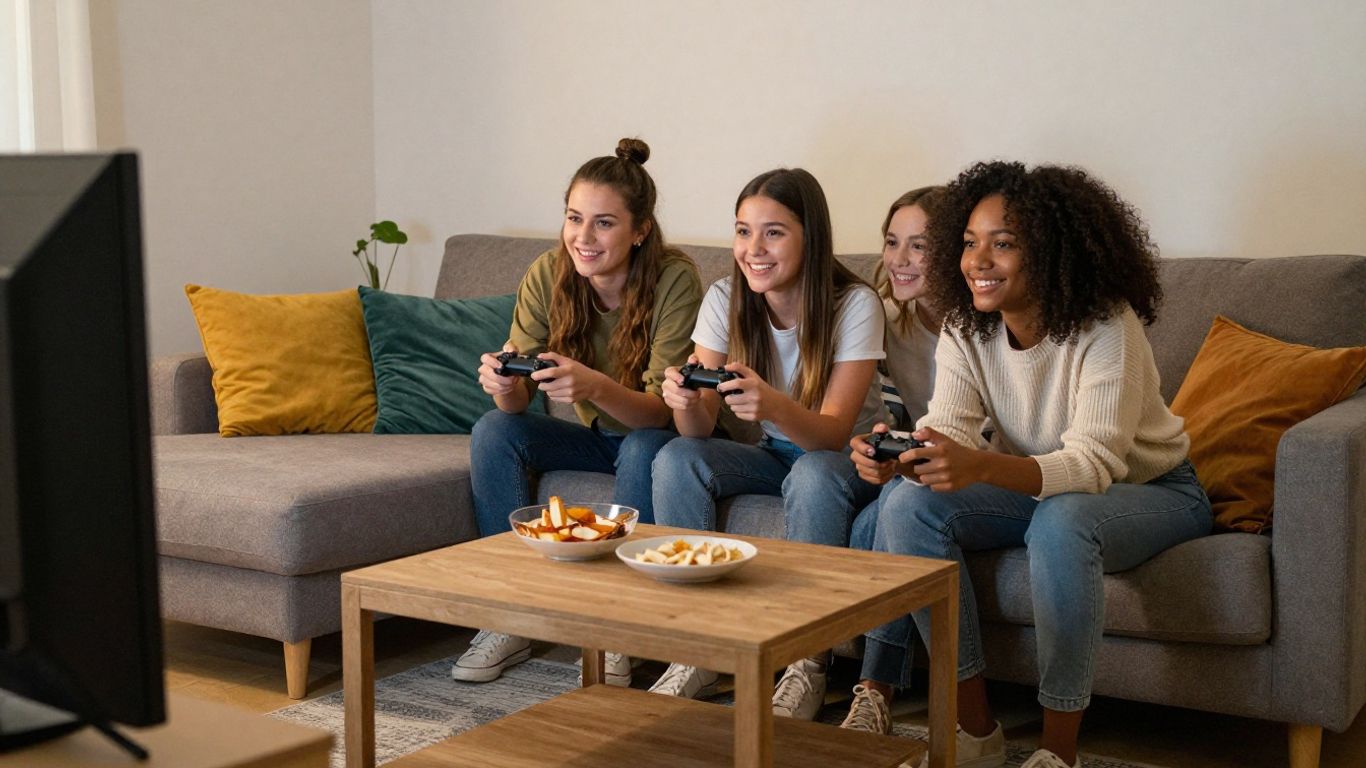
Choose games for different ages and skill levels
Think about whether everyone will be comfortable with the controls, pace, and subject matter. A game with simple actions can still offer plenty to explore, while a more demanding one may be a better fit when everyone is keen to learn. If the group includes younger players or first-timers, check the game’s content and options before the session rather than making assumptions.
Decide between teamwork and friendly competition
The mood you want can guide the choice. Cooperative play gives people a common problem to solve, while a competitive game can bring a lively edge to the room. We can also look for games that make rivalry feel light-hearted, with short rounds or rotating teams, so one uneven match doesn’t define the whole evening.
Consider group size and player drop-in options
Check the player limit before inviting a large group, and see whether late arrivals can join without restarting. Some games suit a fixed group, while others make it easy to switch players between rounds. That flexibility matters when people are sharing snacks, stepping away, or joining in after the game has started.
Check your platform and setup
The word “local” doesn’t guarantee that a game will work with the devices already in the room. Versions of a game can differ by platform, and player limits or controller needs may vary too. We can avoid a last-minute scramble by checking the store listing or game instructions before the group arrives.
Confirm console, PC, or handheld compatibility
First, check that the version of the game supports local play on the platform you plan to use. If a game is available on more than one type of device, don’t assume every version has identical modes or setup requirements. A quick check of the platform listing can clarify what is supported for that copy.
Count controllers and check local player limits
The player limit and the number of controllers needed are related, but they aren’t always the same thing. Some games let players share a controller or take turns; others expect a separate controller for each person. This simple comparison can help us spot what to confirm before choosing a game:
| Setup detail | What to check | Why it helps |
|---|---|---|
| Local player limit | The maximum number of players in the mode | Confirms the group can join together |
| Controller needs | How many controllers are required | Helps avoid a shortage on game night |
| Shared play format | Whether players share a screen or device | Sets expectations for the room |
| Drop-in support | Whether players can join between rounds | Makes late arrivals easier to include |
Once we’ve checked these details, we can decide whether to borrow another controller, pick a different mode, or choose a game that better fits the setup. It’s also worth checking whether controllers need to be paired or charged before everyone sits down.
Look for cross-platform local play requirements
When players bring different devices, check whether the game supports local play across those platforms. Cross-platform play and local multiplayer are not automatically the same feature, so we shouldn’t assume that a connection between different device types is available. If the instructions are unclear, plan around the devices and version you can verify.
Explore popular local multiplayer game styles
Different game styles create different kinds of shared moments. Some ask players to solve a challenge together, while others make each round a contest or a quick social activity. We can narrow the options by thinking about how much focus, explanation, and time the group wants to give the game.
Co-op adventures and puzzle games
Co-op adventures give players a common journey or objective, and puzzle games ask them to combine ideas to move forward. They can be a good fit when the group enjoys talking through decisions rather than competing for a score. Check whether players can contribute in different ways, especially if some people are new to games.
Racing, sports, and fighting games
These styles often make the goal clear from the outset: finish a race, win a match, or outplay an opponent. That can make it easy for people to join in without a long explanation. Before picking one, check how teams, rounds, and local player counts work so everyone knows what kind of match to expect.
Quick party games for casual sessions
Party games can be handy when we want to dip in and out or keep the mood relaxed. Look for short rounds and instructions that can be explained aloud without stopping the evening for a long tutorial. A few different activities can also help the group reset when one type of challenge has run its course.
Make game night easier to run
A comfortable setup makes it easier for everyone to stay involved. We can think about sightlines, seating, controller access, and how the group will learn each game before play begins. Small practical choices help the evening feel less like troubleshooting and more like time together.
Set up seating, screens, and controllers
Place the screen where everyone can see it, and leave enough room for players to reach the controls without crowding one another. Put spare controllers somewhere visible and check that the active ones are ready to use. A little space for people who aren’t playing a round can help them follow along and join when it’s their turn.
Choose games with simple rules and short rounds
Short rounds give the group a natural chance to swap games, explain a rule, or bring someone new into the action. When several people are deciding what to play, a few simple questions can keep the choice focused:
- Can we explain the main goal in a sentence or two?
- Does the game let people join between rounds?
- Will a new player get a chance to learn as they go?
- Can we stop or switch without disrupting the whole group?
If the answers fit the gathering, we can begin with a short session and see how everyone responds. A straightforward start leaves room to try something more involved later, if the group feels like it.
Plan for shared turns when players outnumber controllers
When there aren’t enough controllers for everyone, choose a game or mode that supports rotation, if available. We can make turns feel fair by agreeing on a simple order or switching players after each round. Keeping the next person close to the action also makes it easier for them to join without a lengthy pause.
Keep local multiplayer welcoming and fun
The best session isn’t necessarily the one with the closest scores or the most complicated game. We can pay attention to whether people feel comfortable asking questions, taking a break, or trying a different role. A welcoming group makes space for different play styles without turning every choice into a debate.
Adjust difficulty and assist settings
If a game offers difficulty or assist settings, we can check whether they make the experience more comfortable for the group. These options may help players approach the same challenge in different ways, though they depend on the game. It’s worth exploring them before play so that changing a setting doesn’t interrupt a tense or enjoyable moment.
Make room for new or less experienced players
A quick, low-pressure practice round can help new players get used to the controls. We can explain one action at a time and let people discover the rest through play. A little patience goes a long way when everyone is learning at a different pace.
Set expectations for competition and teamwork
Before starting, agree on whether the group wants to play casually, keep score, or focus on working together. If competition starts to feel uncomfortable, we can switch teams, rotate players, or choose another mode. Being clear about the mood we’re aiming for helps keep the game enjoyable for the whole group.
Conclusion
Finding the right local multiplayer game is mostly a matter of matching the format, setup, and pace to the people in the room. When we check player limits and controls ahead of time, then leave space for different skill levels and moods, it’s easier for everyone to join in and enjoy the session.
Frequently Asked Questions
What does local multiplayer mean?
Local multiplayer means playing with other people nearby, either on a shared screen or through compatible devices connected locally.
Do local multiplayer games need an internet connection?
Some work without an internet connection, while others may require one for particular features or setup. Check the game’s requirements before playing.
What is the difference between couch co-op and versus play?
Couch co-op has players working together towards a shared goal, while versus play places them in competition with one another.
Can local multiplayer use more than one device?
Yes, some games support local play across multiple nearby devices. The supported devices and connection requirements depend on the game.
How can we tell how many players a game supports?
Check the player limit for the specific local mode, rather than relying on a general description of the game. Also confirm how many controllers or devices are needed.
What should we choose for a mixed-skill group?
Look for clear controls, flexible difficulty or assist options, and rounds that give new players a chance to learn without pressure.
How can we include someone who arrives late?
Choose a game that supports joining between rounds or taking turns, and explain the controls briefly before the next round begins.