Match the game to your group
The best local multiplayer games make room for the people who have actually turned up, not an imaginary perfectly matched team. Before browsing, we can think about how many people will play, what experience they bring, and whether they want to work together or go head-to-head. Those answers narrow the choices without making game night feel like homework.
Consider the number of players
Player count can change the feel of a game as much as its genre. A title built for two can be a cosy fit for a pair, while a larger group may prefer games where turns move quickly and nobody spends too long waiting. We can use a simple comparison to spot the likely fit.
| Group size | A useful fit | What to check |
|---|---|---|
| Two players | Co-op adventure or head-to-head match | Whether both players stay active |
| Three or four | Party game, race, or team challenge | Maximum local player count |
| Larger group | Turn-based or rotating party game | Whether players can join in turns |
Treat the table as a starting point, then check the individual game’s player limit and local-play details. Some games make a small group feel lively; others are at their best when everyone can take part at once.
Think about ages and gaming experience
A room with experienced players and first-timers calls for a game that explains itself as it goes. We can look for clear prompts, forgiving early levels, and controls that do not ask new players to remember a dozen actions. Age suitability matters too, so check the rating and content before choosing a game for a mixed-age group.
Decide whether everyone wants to compete or cooperate
Not every group wants a winner and a loser. Cooperative play gives people a shared problem to solve, while competitive rounds can bring out playful rivalry—provided everyone is comfortable with that. If we are unsure, a game with both team-based and versus options can make it easier to read the room.
Choose the right way to play together
“Local multiplayer” can describe a few different arrangements, so it helps to picture the room before buying or downloading a game. Players might share one view, see separate portions of the screen, or take turns using the same display. The best option is the one that keeps everyone involved without making the setup a nuisance.
Compare couch co-op and split-screen play
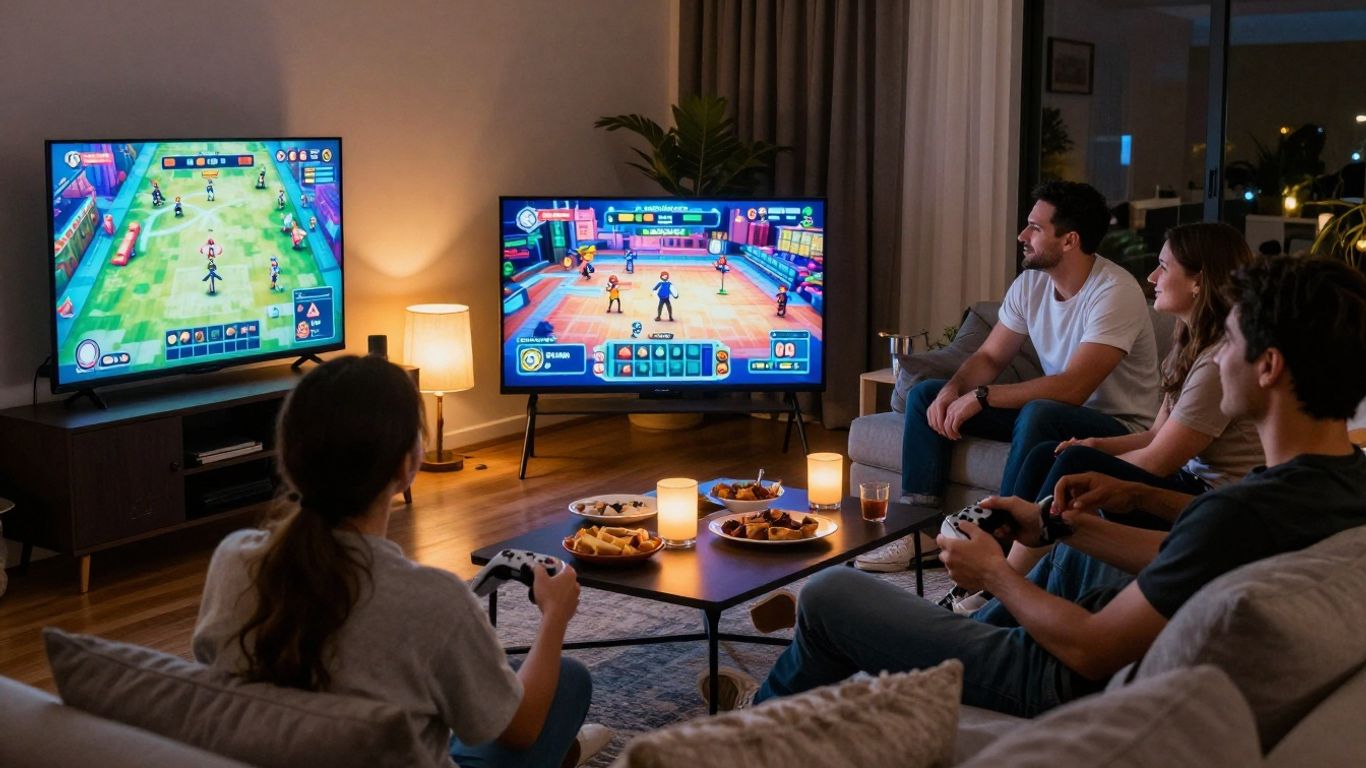
In couch co-op, players share the same game view, which can make it easy to point something out or plan a move together. Split-screen gives each player a separate area of the display, which can suit games where people move independently. We should consider how much of the screen each person needs and whether the game keeps the group in one place or sends players in different directions.
Look for games that support shared-screen multiplayer
A shared screen can make a game feel immediate: everyone sees the same action, and the room’s reactions become part of the fun. It can work especially well for short party rounds or cooperative tasks where players need to coordinate. Before settling on a title, confirm that its local mode really supports the number of people and play style we have in mind.
Check whether players need separate controllers or devices
The game itself is only part of the setup; we also need to know what each player must bring to the session. A quick equipment check can prevent the familiar scramble for a spare controller after everyone has arrived:
- Count the controllers needed for the planned player count.
- Check whether any mode asks players to use a phone or another device.
- Confirm that the required accessories are compatible with the platform.
- Test the controls before guests arrive, if we can.
Once we know what is required, we can decide whether the game is genuinely convenient for the group. Keeping a simple backup option nearby is useful if a controller is flat or someone would rather take a turn watching.
Find a genre that fits the occasion
Genre is a handy shortcut, but the mood we want matters more than a label on a store page. Some evenings call for quick laughs, while others leave room for a longer shared challenge. We can match the game to the energy in the room, then check its local mode and player options before committing.
Pick party games for quick, lively rounds
Party games are a natural choice when people are arriving at different times or nobody wants to settle in for a long session. Short rounds make it easy to pass the controller around, and simple objectives help guests join without a lengthy explanation. We can keep the pace comfortable by choosing games where a missed round does not leave someone behind.
Try cooperative adventures for teamwork
A cooperative adventure gives players a common goal, which can be a welcome change from competing for points. It also gives the group a reason to talk through decisions and share the small victories. We should check whether the game allows everyone to contribute at a similar pace, especially if the group has mixed experience.
Choose racing or fighting games for friendly competition
Racing and fighting games offer a direct way to compare skills, and a rematch is often easy to arrange. The tone depends on the group, though: a very demanding game can make a casual contest feel lopsided. We can keep things friendly by rotating who plays, agreeing on a few rounds, or choosing a title with accessible options.
Check your platform and setup
A promising game is not a good pick if it will not run on the hardware in the room. We can check platform support before anything else, then look at controllers, accessories, display size, and seating. A few minutes spent on those details can spare us from discovering a mismatch just as the guests settle in.
Confirm which consoles and PCs support the game
Game availability can differ between consoles and PC, and even versions of the same title may not offer identical modes. We should verify the platform listed for the exact edition we plan to use, then find its local multiplayer details. If people are bringing their own hardware, it is worth confirming the setup in advance rather than assuming everything will connect.
Review controller and accessory requirements
Some games work with a standard controller, while others may call for additional equipment or a particular input method. Read the requirements for local play, not just the general product description. That small distinction helps us avoid buying a game that technically runs but cannot be played by the whole group with the gear available.
Make sure your display and seating work for everyone
A shared display should be visible from the spots where people will actually sit. Split-screen text and small interface details can be harder to follow from across a room, so we can test the view before game night. Leave enough space for controllers, snacks, and people to swap places without interrupting every round.
Make the game night welcoming for new players
A good host does not need to turn the evening into a tutorial session. We can choose games that teach their basics clearly and allow newcomers to learn through play. A little thought about difficulty and pacing helps everyone feel included, including the person who has not picked up a controller in a while.
Look for simple controls and clear tutorials
When controls are easy to explain, the group can get playing sooner. We can check whether the game introduces actions in small steps or provides a practice area before a competitive round begins. A quick demonstration from one player can help, but it should not become the price of entry for everyone else.
Use adjustable difficulty and helpful assist options
Options that let players change difficulty or enable assistance can help a mixed-skill group find a comfortable challenge. We should look for settings that suit the people playing, rather than treating the default as the only way to enjoy a game. A less experienced player may prefer a gentler start, while a confident friend can still find plenty to do.
Choose games with short rounds or easy drop-in play
Flexible sessions make it easier for people to join late, take a break, or step aside without disrupting the night. Short rounds and simple turn changes are especially useful when the group is chatting as much as playing. We can plan around that by choosing games where the fun survives a little interruption.
Compare cost, replay value, and game length
A game’s price is only one part of whether it suits the evening. We can also consider extra content, the variety available after the first session, and how long a typical round lasts. Thinking about those factors together helps us choose something that fits both the budget for the night and the group’s appetite for playing again.
Check the price and any extra content costs
Before choosing, check the current price and whether the local mode depends on additional content or accessories. We should distinguish optional extras from anything needed to play the way our group intends. That makes the total setup clearer and helps avoid an unexpected purchase at the last minute.
Consider how much variety the game offers
Some games stay interesting through different modes, changing challenges, or player-made approaches; others are designed for a focused experience. Neither approach is automatically better. We can ask whether the group wants a game to revisit regularly or simply a good fit for one particular get-together.
Match the session length to your plans
A long campaign may suit a quiet evening with a committed group, while a gathering with a loose schedule calls for rounds that can end cleanly. Check whether progress can be saved and whether players can leave between stages. Matching the game’s rhythm to the plan makes it easier to stop while everyone is still having a good time.
Conclusion
Choosing local multiplayer games is mostly about knowing who is coming, how they like to play, and what the room can support. When we check player count, local mode, equipment, accessibility, and session length before game night, it becomes easier to pick something that welcomes the whole group. A little preparation leaves more time for the part we gathered for: playing together.
Frequently Asked Questions
What does local multiplayer mean?
Local multiplayer means multiple people play together using the same nearby gaming setup, usually in one room. The exact format varies: players may share one screen, use split-screen, or take turns.
How many controllers do we need for a local multiplayer game?
It depends on the game’s mode and the number of people playing. Check the game’s local player and controller requirements, and confirm whether any players can use another device instead.
Is couch co-op the same as split-screen?
Not always. Couch co-op describes playing together locally, often toward a shared goal; split-screen describes a display divided into separate views. A game can support one format without supporting the other.
What games work well for a mixed-skill group?
Games with simple controls, clear instructions, adjustable difficulty, or short rounds can be easier for a mixed-skill group to enjoy. The best choice depends on whether everyone wants to cooperate or compete.
Can local multiplayer games be played on one screen?
Yes, some local games show all players on one shared screen. Others divide the display, and some use turn-taking, so check the specific game’s local options before choosing it.
How can we include someone who has never played before?
Choose a game with approachable controls and a clear introduction, then let the new player practise without pressure. Short rounds and adjustable settings can also make joining in feel more comfortable.
What should we check before game night?
Confirm that the game supports the group’s player count and your platform, then check controllers, accessories, display visibility, and expected session length. Testing the setup ahead of time can prevent avoidable delays.